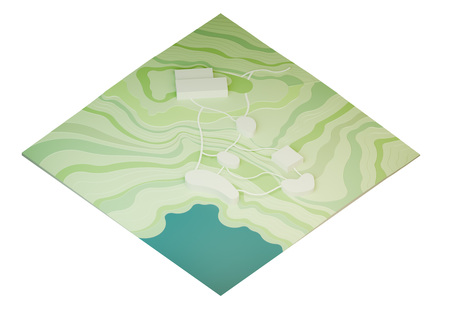
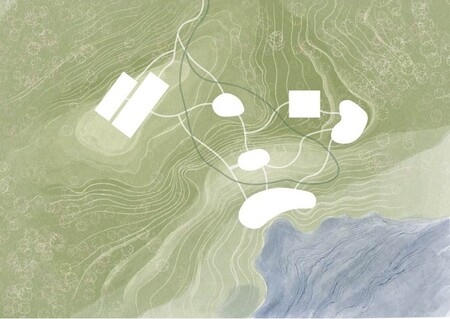
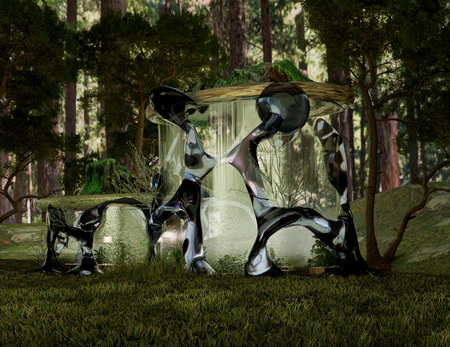
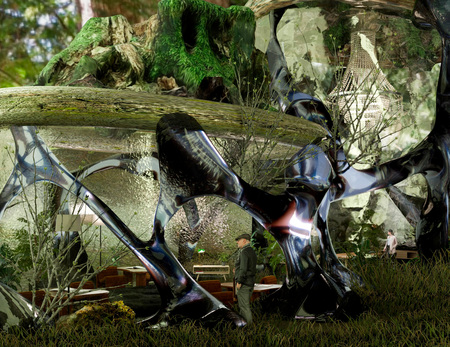
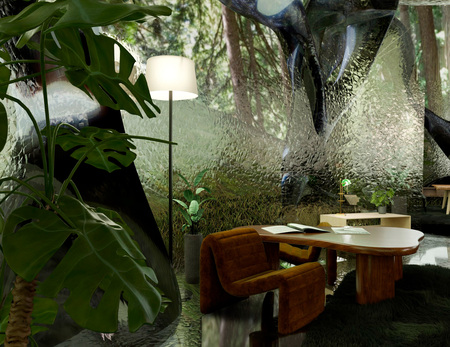
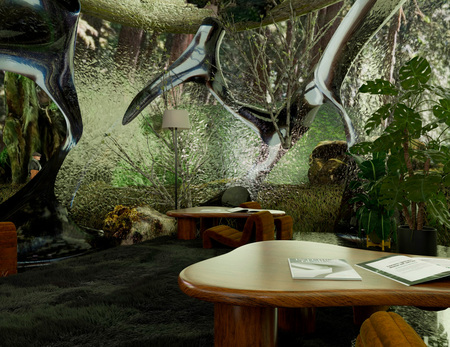
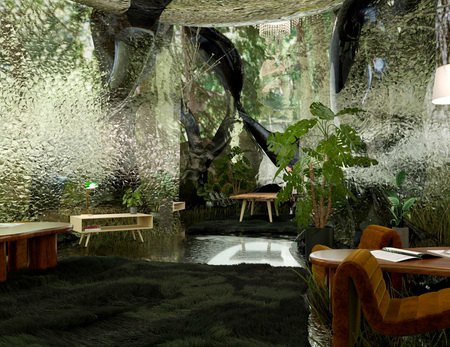
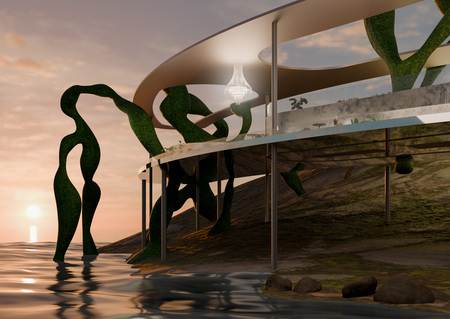
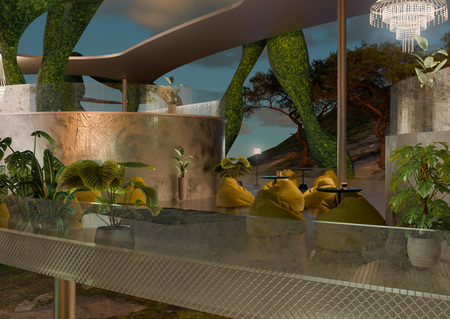
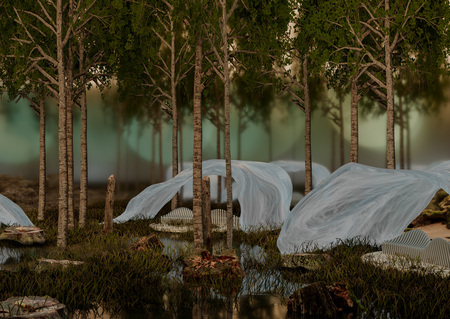
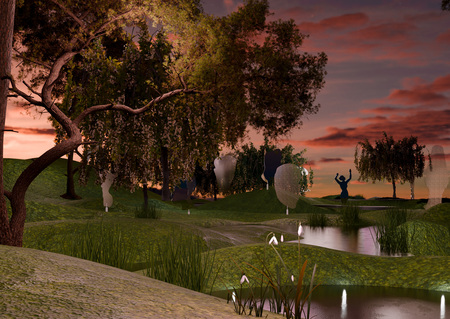
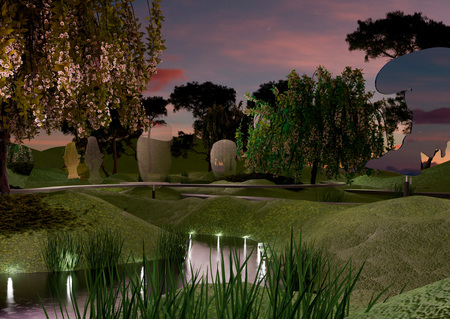
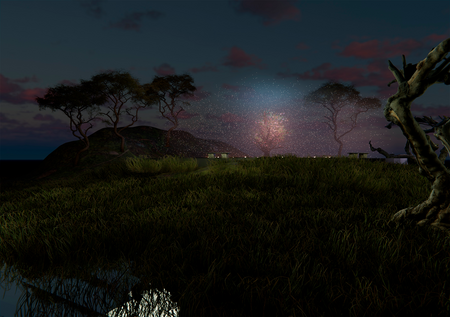
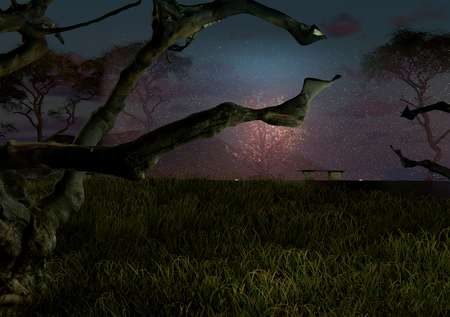
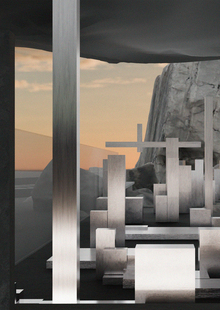
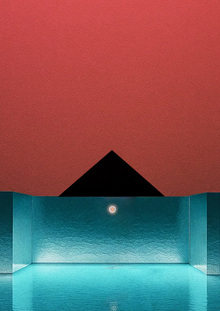
Идея оформления парка состоит в передаче настроения Франсиса Пикабиа. Решение пространства интерпретирует излюбленные принципы художника в написании картин и отсылки на определенные этапы жизни, что можно наблюдать в выборе материалов и форм различных арт-объектов и зданий. Сам парк состоит из различных зон, которые наполнены атмосферой картин художника, в особенности, его периодом прозрачности и импрессионизма.
Кристина Евтушенко создала проект «Прозрачные грезы», представляющий собой концепцию парка, вдохновлённого художником Франсисом Пикабиа. Проект включает в себя арт-объекты и зоны, интерпретирующие период прозрачности и импрессионизма в творчестве художника.
Карина Шепета создала тематический парк «Куби XXI», вдохновлённый работами Дэвида Смита и включающий зону для самостоятельной работы посетителей. Проект включает скульптуры из камня и металла, а также зону, где гости могут участвовать в процессе создания композиций.
Элина Монахова создала проект «Золотое руно», представляющий собой серию текстов и поэтических отрывков. Проект включает описание монументальной пирамиды, построенной в соответствии с пропорциями золотого сечения.
pro.deziiign
Цифровая платформа для создания презентаций. Инновационный онлайн-конструктор, где каждый может эффектно показать свой проект, предложение или образовательный курс.
Press space bar to start a drag.
When dragging you can use the arrow keys to move the item around and escape to cancel.
Some screen readers may require you to be in focus mode or to use your pass through key
Press space bar to start a drag.
When dragging you can use the arrow keys to move the item around and escape to cancel.
Some screen readers may require you to be in focus mode or to use your pass through key
Press space bar to start a drag.
When dragging you can use the arrow keys to move the item around and escape to cancel.
Some screen readers may require you to be in focus mode or to use your pass through key
Press space bar to start a drag.
When dragging you can use the arrow keys to move the item around and escape to cancel.
Some screen readers may require you to be in focus mode or to use your pass through key
Press space bar to start a drag.
When dragging you can use the arrow keys to move the item around and escape to cancel.
Some screen readers may require you to be in focus mode or to use your pass through key
Press space bar to start a drag.
When dragging you can use the arrow keys to move the item around and escape to cancel.
Some screen readers may require you to be in focus mode or to use your pass through key
Press space bar to start a drag.
When dragging you can use the arrow keys to move the item around and escape to cancel.
Some screen readers may require you to be in focus mode or to use your pass through key
Press space bar to start a drag.
When dragging you can use the arrow keys to move the item around and escape to cancel.
Some screen readers may require you to be in focus mode or to use your pass through key
Press space bar to start a drag.
When dragging you can use the arrow keys to move the item around and escape to cancel.
Some screen readers may require you to be in focus mode or to use your pass through key
Press space bar to start a drag.
When dragging you can use the arrow keys to move the item around and escape to cancel.
Some screen readers may require you to be in focus mode or to use your pass through key
Press space bar to start a drag.
When dragging you can use the arrow keys to move the item around and escape to cancel.
Some screen readers may require you to be in focus mode or to use your pass through key
Press space bar to start a drag.
When dragging you can use the arrow keys to move the item around and escape to cancel.
Some screen readers may require you to be in focus mode or to use your pass through key
Press space bar to start a drag.
When dragging you can use the arrow keys to move the item around and escape to cancel.
Some screen readers may require you to be in focus mode or to use your pass through key
Press space bar to start a drag.
When dragging you can use the arrow keys to move the item around and escape to cancel.
Some screen readers may require you to be in focus mode or to use your pass through key
Press space bar to start a drag.
When dragging you can use the arrow keys to move the item around and escape to cancel.
Some screen readers may require you to be in focus mode or to use your pass through key